The education tool Open Roberta, a coding platform for kids

Discovering Open Roberta, a block programming tool that makes coding and learning fun
NAO can assist teachers to meet pedagogical objectives like reading, writing, problem-solving and natural-born language. With a simple programming tool pupils uplift their learning experience in multidisciplinary projects.
This alternative to Scratch and Blockly provides different program blocks to give instructions to the robot's motors and sensors. Thanks to its graphical programming language NEPO®, the project Open Roberta, enables pupils from the age of 8 to program robots without any prior knowledge. Children, teenagers and adults worldwide intuitively program NAO and many other robots and microcontrollers. More than 300 000 programmers have already used the platform to build their NEPO programs via “drag and drop” and bring robots to life.
Main Features
The programming language of Open Roberta, NEPO® is made of block categorized as the Action, Sensors, Control, Logic, Math, Text, Colours, Variables, Functions, and Messages.
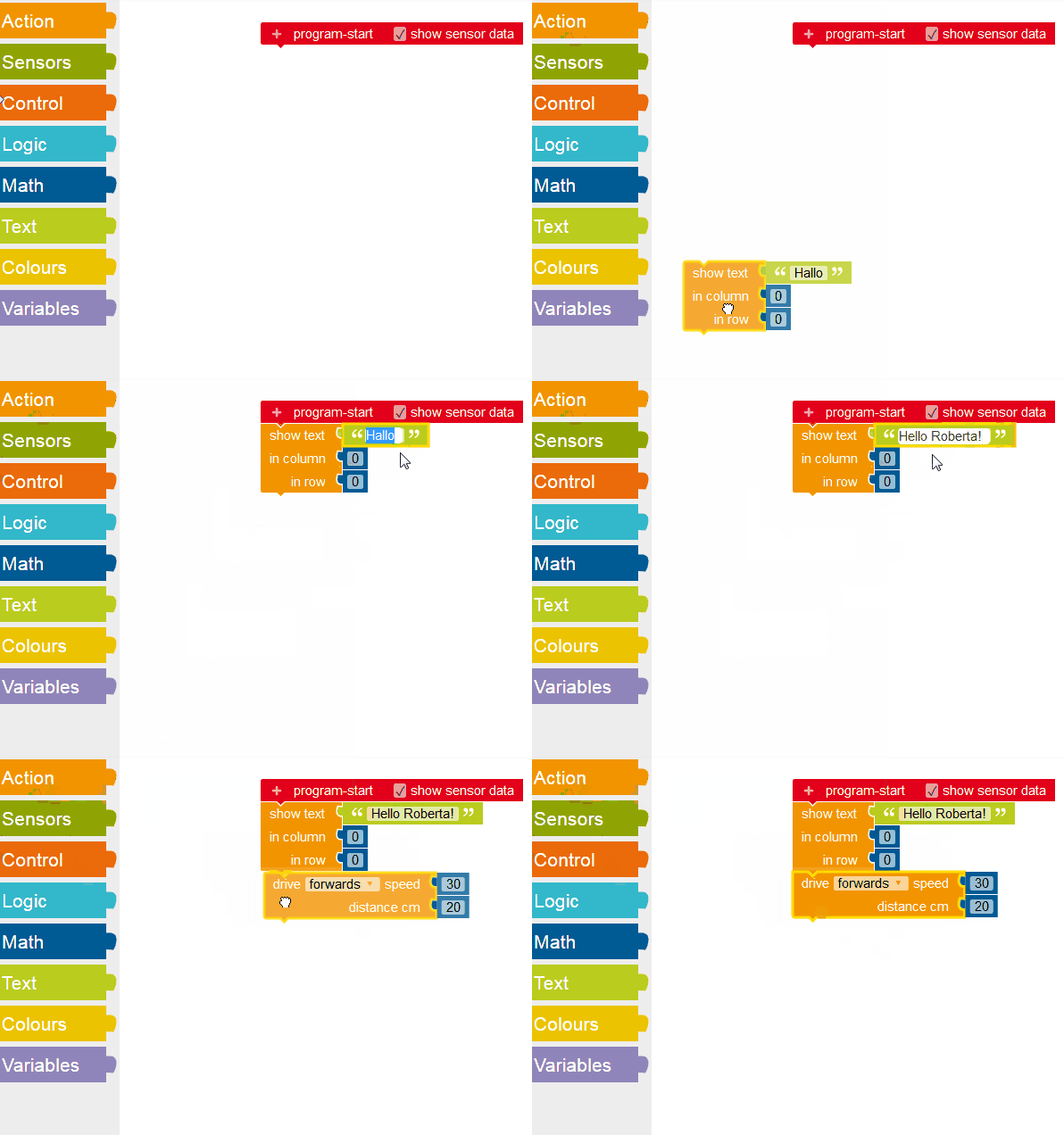
The table below gives the main characteristics.
| Open Roberta main characteristics | |
| Robot | NAO |
| NAOqi OS Compatibility | NAO6 (NAOqi 2.8), NAO v5-v4 (NAOqi 2.1) |
| Architecture | Browser-based |
| Type | based on blockly |
| Project file format | .xml |
| IDE language | EN/CN/FR/DE/SP/IT/RU/NL//PT/SW/TU |
| Interaction language | All robot languages |
| Programing language | Blockly boxes |
| Programming Languages for Code Generation | Python Code |
| Need internet | ✔ |
| Robot Communication way | Connect with identification token through internet |
| Security | Based on a token given by the robot and unique |
| Animation Library | ✔ |
| AI support | |
| ASR | ✔ |
| TTS | ✔ |
| Object recognition | NAO Marks |
| Face recognition | ✔ |
| Compute and Math operations | ✔ |
| Documentation | Guidelines, starting doc |
Online tutorials and settings
As a german education initiative, led by Fraunhofer IAIS, it comes with comprehensive documentation.
In addition, the Open Roberta Wiki provides all information needed and program to install (General Info, Set Up, Programming, FAQ).
How to connect NAO to Open Roberta
Connecting NAO is very easy: * First upload a program from the SoftBank Robotics store on Nao6 (NAOqi 2.8) and Nao v5-v4 (NAOqi 2.1), * Then get NAO a token by pressing one of the head sensors. Pressing one of NAO's head sensors provides NAO a token. NAO spells out the token, be ready to note it down. * Got to Open Roberta Lab and select NAO as your system by clicking on the robot's icon, * Finally, enter the NAO token into the token field of the Open Roberta HMI and click on OK. Now you get NAO connected to the programming session in the Open Roberta Lab!
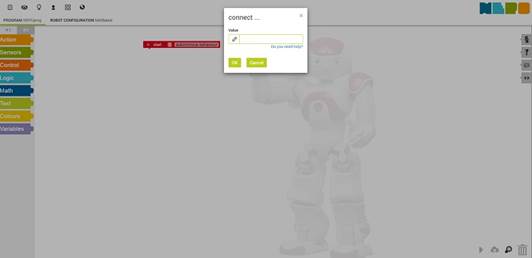
See also the Fraunhofer Wiki on programming NAO with Open Roberta.
A toolkit suitable for classroom
Teachers should be convinced that NAO is an added value in their project since Open Roberta is so simple to use for them and for pupils. Indeed, using Open Roberta with NAO in the classroom combines basic education skills and programming.
Start your robotic project with all the good cards in your pupils’ hands!
LEARN IT NAO6 - DO IT NAO6
Discover the Softbank Robotics textbooks for teachers & students, the most complete eBooks written to learn how to program NAO robot!
Related Content
 Install Roberta lab connector
Now available on SoftBank Robotics store for Nao6 (NAOqi 2.8) and Nao v5-v4 (NAOqi 2.1)
Install Roberta lab connector
Now available on SoftBank Robotics store for Nao6 (NAOqi 2.8) and Nao v5-v4 (NAOqi 2.1)
 NAO User Guide
Access NAO 6 User Guide on Developer Center
NAO User Guide
Access NAO 6 User Guide on Developer Center